In development · target launch November–December 2026
Tax Provision IFRS · IAS 12
An Excel workbook for the income tax provision of a Canadian corporation reporting under IFRS. A temporary-difference ledger connects deferred tax calculations to the provision and disclosures.
Samples
Fictional scenario: Example IFRS Reporter Inc. The PDF includes the provision, rate reconciliation and financial-statement note.
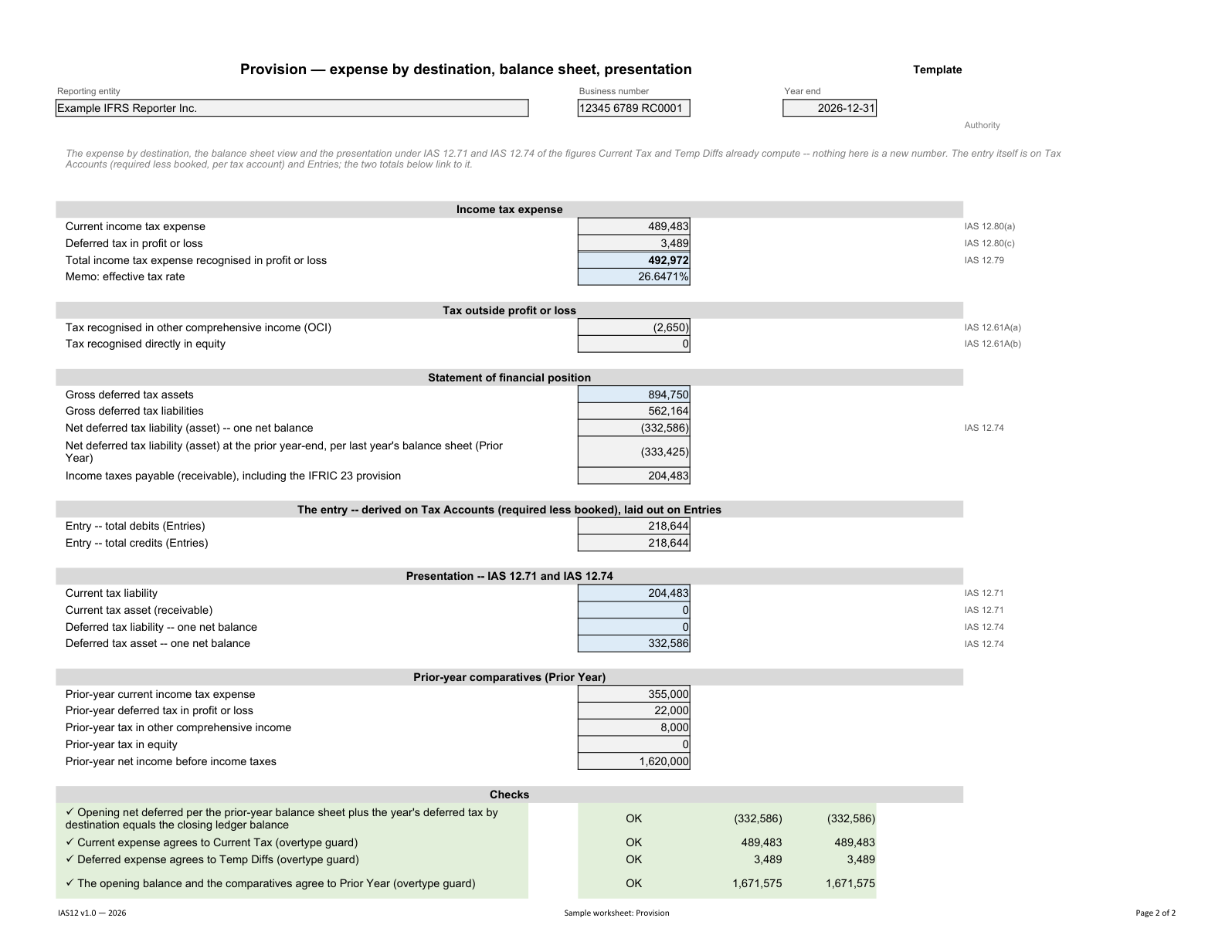
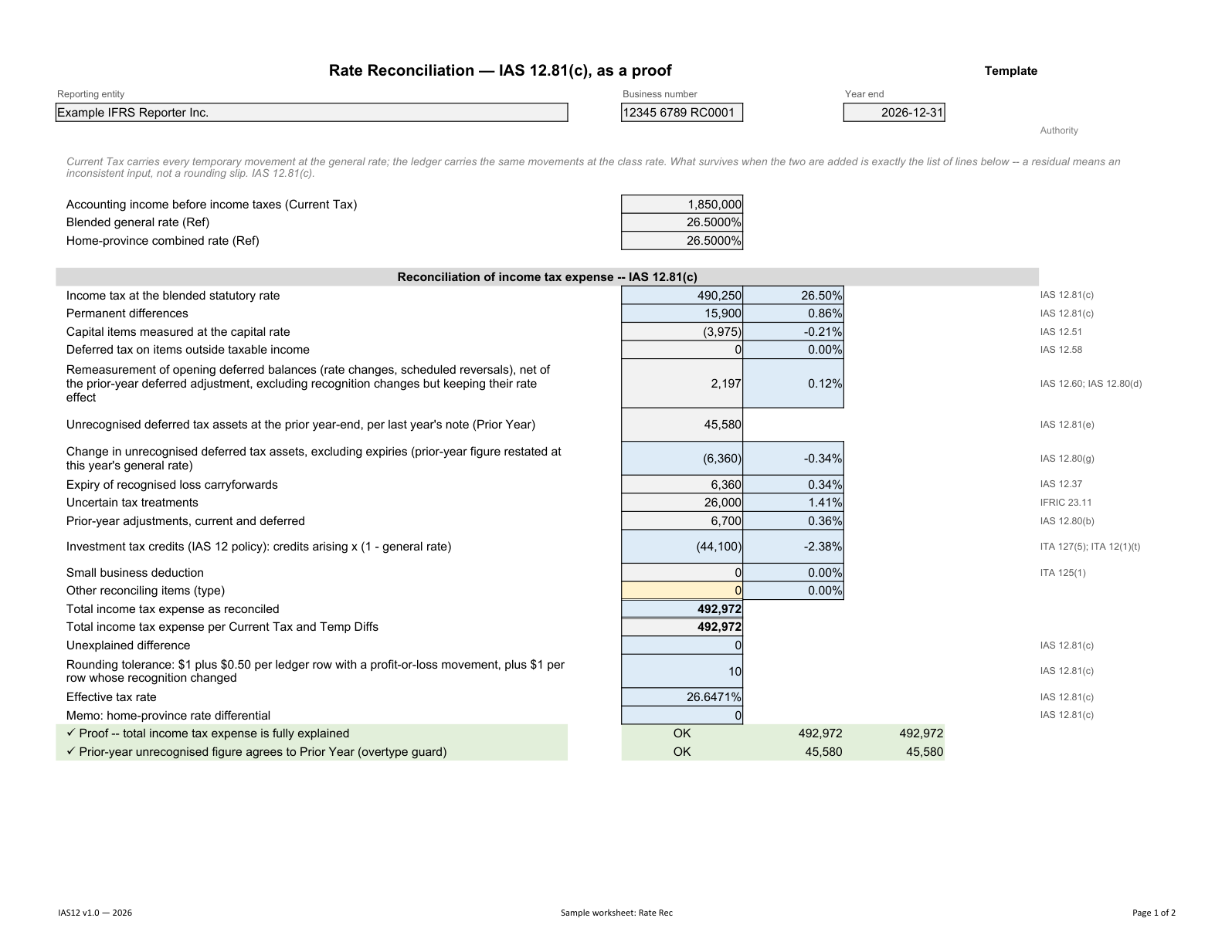
Workflow & instructions
- 01
Set up the reporting period
Establish the entity and accounting policies, then bring forward prior-year balances.
Info · Prior Year · Ref
- 02
Map the trial balance
Bring in accounts and balances, assign mapping targets and reconcile tax accounts.
TB · Map · Tax Accounts
- 03
Calculate the provision
Complete tax bases, temporary differences, tax losses and uncertain tax treatments.
Current Tax · Temp Diffs · Losses & Credits · IFRIC 23
- 04
Review the results
Explain effective-rate differences, review the provision and resolve the controls.
Rate Rec · Provision · Control Checks
- 05
Prepare the close
Review proposed entries and tailor the financial-statement note; retain balances for the following year.
Entries · FS Note · Closing · Sign-Off
Tax Provision · From financial data to the close
Preparation and review are performed by the purchaser’s engagement team. Filing and posting take place in the relevant external software.
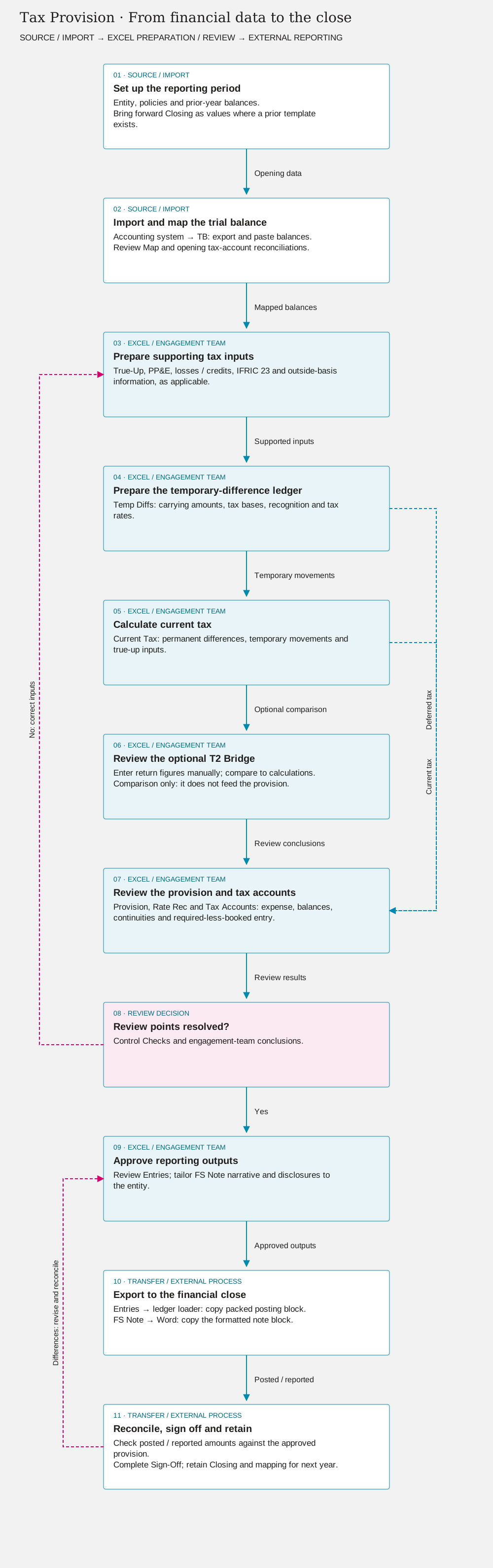
Flowchart steps and review loops
- 01
Set up the reporting period
Entity, policies and prior-year balances. Bring forward Closing as values where a prior template exists.
- 02
Import and map the trial balance
Accounting system → TB: export and paste balances. Review Map and opening tax-account reconciliations.
- 03
Prepare supporting tax inputs
True-Up, PP&E, losses / credits, IFRIC 23 and outside-basis information, as applicable.
- 04
Prepare the temporary-difference ledger
Temp Diffs: carrying amounts, tax bases, recognition and tax rates.
- 05
Calculate current tax
Current Tax: permanent differences, temporary movements and true-up inputs.
- 06
Review the optional T2 Bridge
Enter return figures manually; compare to calculations. Comparison only: it does not feed the provision.
- 07
Review the provision and tax accounts
Provision, Rate Rec and Tax Accounts: expense, balances, continuities and required-less-booked entry.
- 08
Review points resolved?
Control Checks and engagement-team conclusions.
- 09
Approve reporting outputs
Review Entries; tailor FS Note narrative and disclosures to the entity.
- 10
Export to the financial close
Entries → ledger loader: copy packed posting block. FS Note → Word: copy the formatted note block.
- 11
Reconcile, sign off and retain
Check posted / reported amounts against the approved provision. Complete Sign-Off; retain Closing and mapping for next year.
Coverage and limitations
Designed for Canadian corporations applying IFRS; this is not presented as an ASPE or US GAAP template. Deferred-tax asset recognition, uncertain treatments, reversal rates and outside-basis differences require professional judgment. Certain combinations of recognition changes and other-comprehensive-income movements require separate ledger rows; the workbook instructions explain these cases. The draft note and proposed entries must be tailored to the entity. Return filing and tax advisory services are not provided.
Engagement and continuity
Cover, Index, Info, Prior Year, Closing, Sign-Off
Data and references
TB, Map, Ref, T2 Bridge
Tax calculations
True-Up, PP&E, Losses & Credits, Temp Diffs, IFRIC 23, Outside Basis, Current Tax
Reporting and controls
Rate Rec, Provision, Tax Accounts, Entries, Note, FS Note, Control Checks
Edition and licence
2026 · v1.0 · Development edition
Pricing and edition-specific terms will be announced before release. The offering is limited to the template and basic product support; engagement review and provision preparation are not included.
Read the licence framework →