Save time
818fields to Taxprep
One button writes them to the CSV that Taxprep imports. Last year’s export, pasted once, loads 49 prior-year fields.
Investment income slips
From dividend records to reconciled slips. A T5 and RL-3 working-paper file that takes recipient data and dividend declarations to supported slips, summaries and a CSV for Taxprep.
v2.0 · 2025
| Actual amount of eligible dividends | 982,800 |
|---|---|
| Interest from Canadian sources | 8,491 |
| Number of T5 slips | 70 |
Inputs and results require review.
Inside the guide
Selected pages from the English user guide. Open an image to zoom. The complete PDF accompanies the purchased workbook.
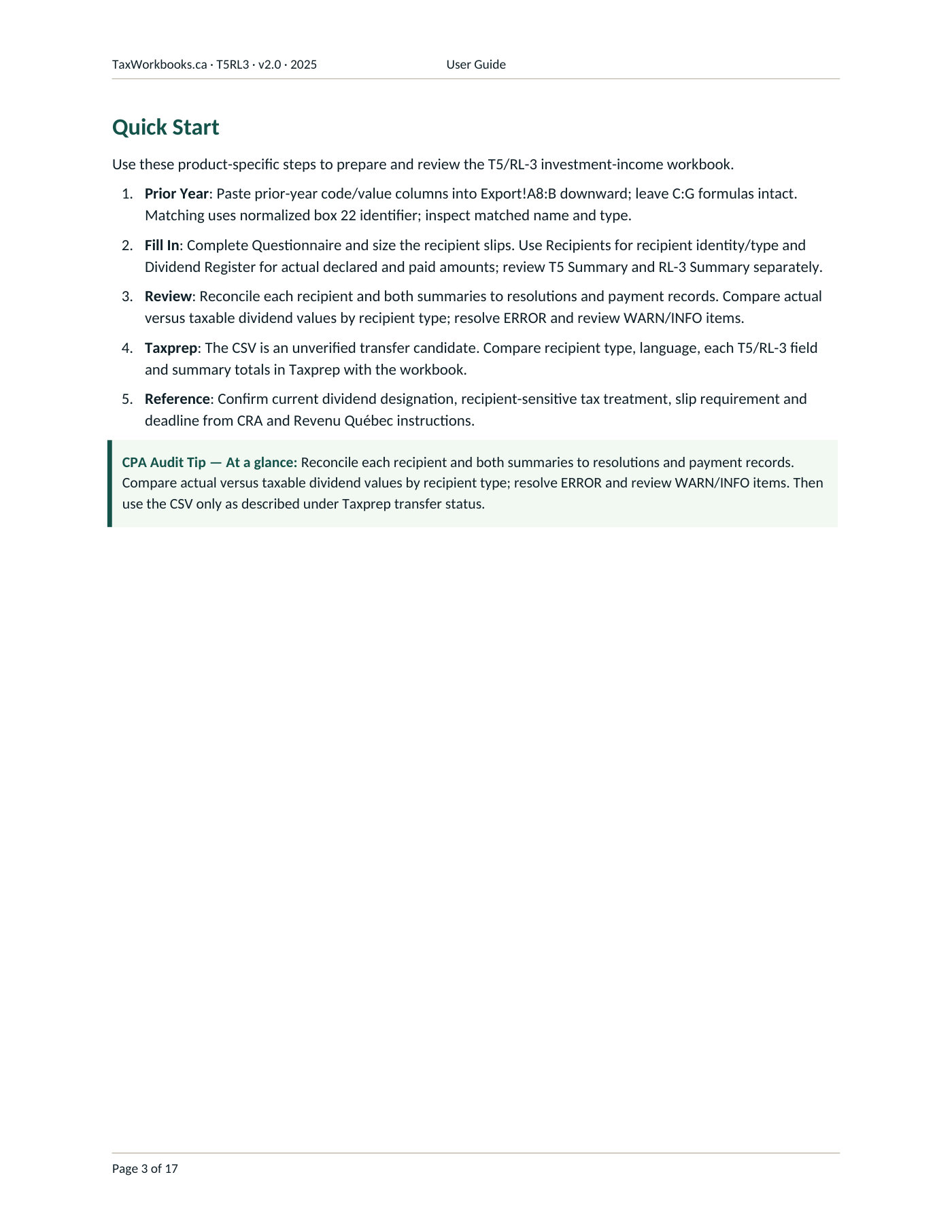
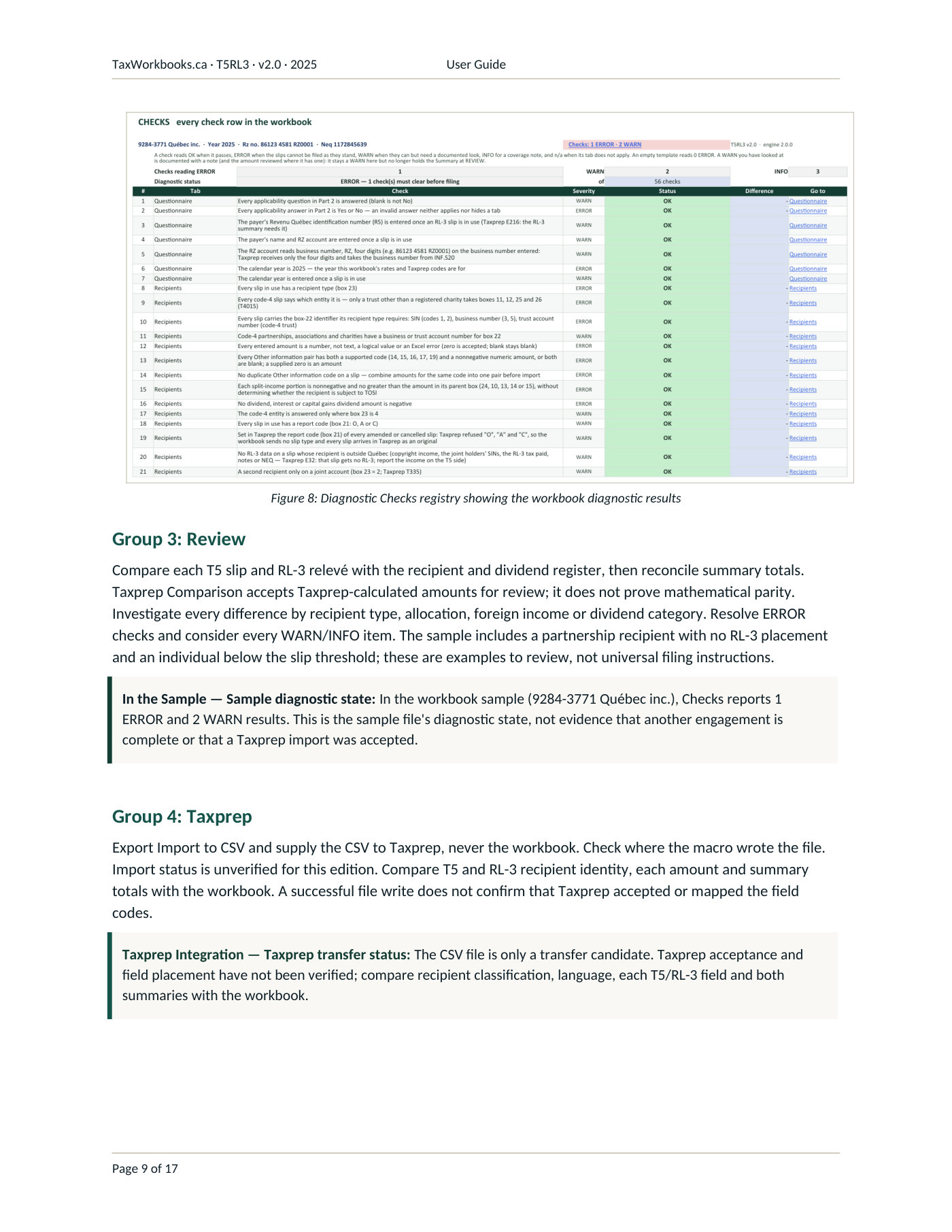
The inventory includes calculations, manual-entry schedules and references. A listed form or tab does not mean every line is automated. Read the scope and exclusions for functional coverage.
From the Template column of the CRA forms index.
22% entered · 78% formula-derived & rollover
Measured from the sample
T5 / RL-3 sample · fictional data · v2.0 · 2025. Counted from the sample’s cells by the workbook’s own colour legend.
Save time
818fields to Taxprep
One button writes them to the CSV that Taxprep imports. Last year’s export, pasted once, loads 49 prior-year fields.
Type less
22%of cells entered
Of the colour-coded cells, only the yellow ones are entered; the other 78% are calculated or carried from last year.
Better control
56checks
All on one tab, each stating what it tests and how serious a failure is. The list is worked until no ERROR remains.
23 must clear before filing · 30 to review · 3 notes
Standard and searchable
19tabs in 5 numbered groups
Filed under the same numbered groups, with the same Questionnaire, Checks, Import and Notes tabs, as every workbook previewed here. Labels, checks and notes are plain text in the same places, so next year’s preparer, a reviewer or an AI assistant given the file can search them.
Selected working papers, grouped by preparation area.
| Slips & summaries | T5 · RL-3 · Supported boxes & summaries |
|---|---|
| Dividends | Dividend register · Declarations & payments |
| Review | Recipient reconciliation · Prior-year comparison |
The workbook prepares T5 slips from one row per recipient, with the T5 Summary, and RL-3 slips and the RL-3 Summary for recipients whose province is Québec. Dividends completes boxes 11, 12, 25 and 26 only for the recipients T4015 names, asks which entity each code-4 recipient is, and presents a corporation's dividends in RL-3 box E, while Slip View and an optional Taxprep Comparison, checked to the cent, support review. The file ships with 25 slip rows, and the Export Import to CSV button writes the file Taxprep imports.
Rates and Taxprep codes are for the 2025 calendar year; any other year entered on the Questionnaire reads ERROR.
The printed T5 and RL-3 summary totals are computed for review and not imported; Taxprep derives them. The RL-3 carries no prior-year column, because the Taxprep export does not separate it from the T5. Dividends to a code-5 recipient, a code-4 recipient other than a trust, or a registered-charity trust are left unplaced on the RL-3, for review.
CAD $129
One entity and its corporate group.
BuyOne firm preparing returns for external clients.
Request a practice quoteSeveral firms, named in the licence.
Request an enterprise quoteA perpetual licence for the purchased edition. A new tax year is a separate edition. Full licence
No. It prepares and documents the figures; filing takes place in the tax software after the CSV import described on the import and export page.
Yes. The .xlsm buttons resize the repeated row blocks to the counts entered, hide the tabs marked not applicable (and show them again) and write the Import tab to a CSV file beside the workbook. The edition guide identifies the available buttons.
In this workbook the macros act on the local file only: they resize the repeated row blocks to the counts entered, hide the tabs marked not applicable (and show them again) and write the Import tab to a CSV file beside the workbook. The CSV export uses one system object, WScript.Shell on Windows, only to find the Desktop folder when the CSV cannot be written beside the workbook. The macros make no external connection and the VBA project is left open for inspection. A file received by email or downloaded opens in Protected View until it is unblocked (file Properties, Unblock) or placed in a Trusted Location; with macros disabled, every schedule, check and formula still works and only the buttons are inactive.
Sheets are supplied without active protection. Cell lock flags allow protection to be enabled when needed.
Minor corrections to the purchased edition are included under the terms of sale. A new tax year is a separate edition.
Yes, online; the price shown is for the in-house licence. Buy opens Stripe’s payment page, the contract documents are at the foot of this page, and the workbook follows by email.
T5 / RL-3 · In-house licence · CAD $129 · No sales tax is charged.
Français : Conditions d’utilisation · Licence · Politique de soutien · Politique de remboursement · Politique de confidentialité · Télécharger l’ensemble (zip)
English version: Terms of Use · Licence · Support Policy · Refund Policy · Privacy Policy
Sold by Maxime Blais, operating as TaxWorkbooks · [email protected]