In-house
CAD $329
One entity and its corporate group.
Enquire about the workbookIn development · target launch November–December 2026
A structured corporate tax file, from trial balance to supported return figures.
Workbook · .xlsx · Macro-free
Extracts from a fictional scenario, with the worksheet layout and figures preserved.
Download sample PDFPDF · fictional data · 0.2 MB
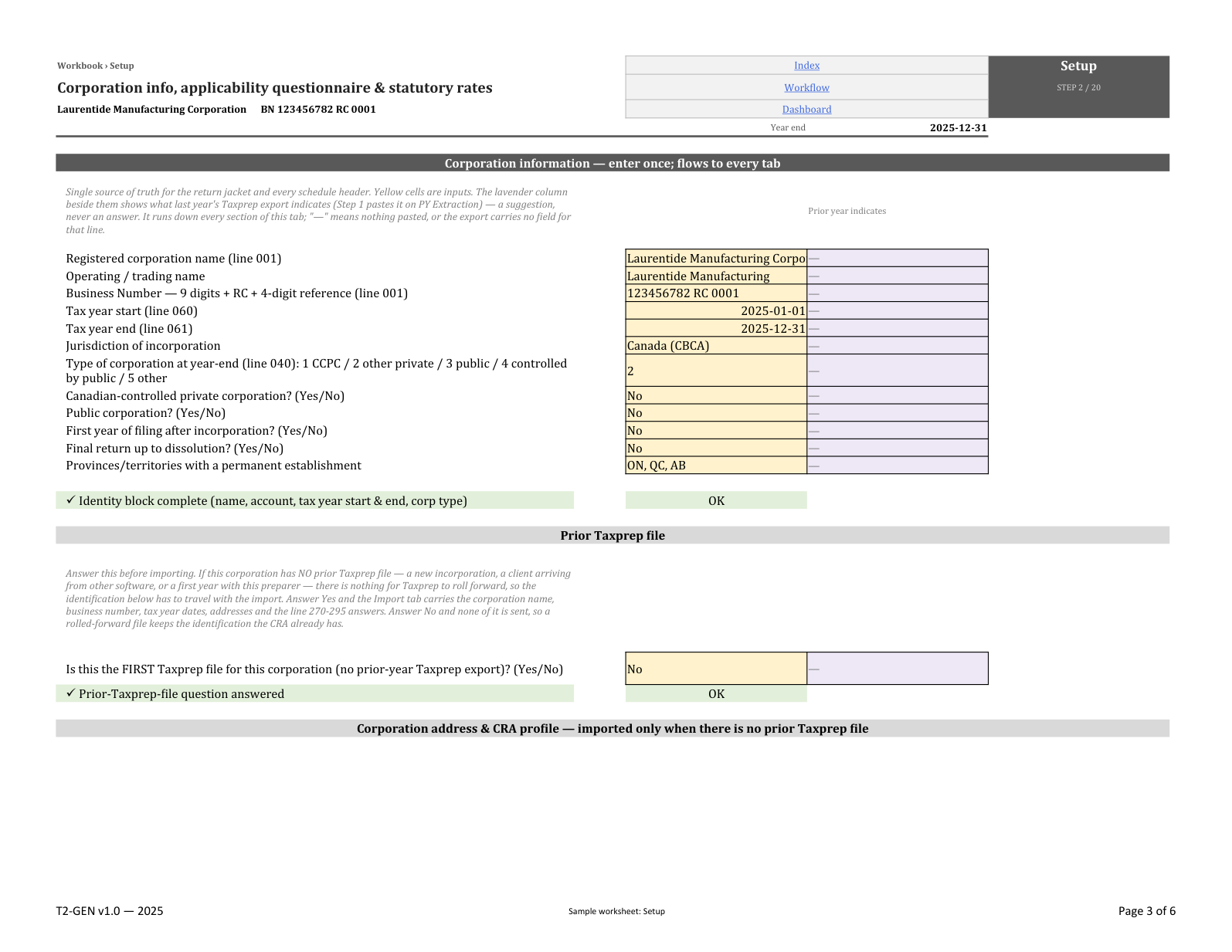
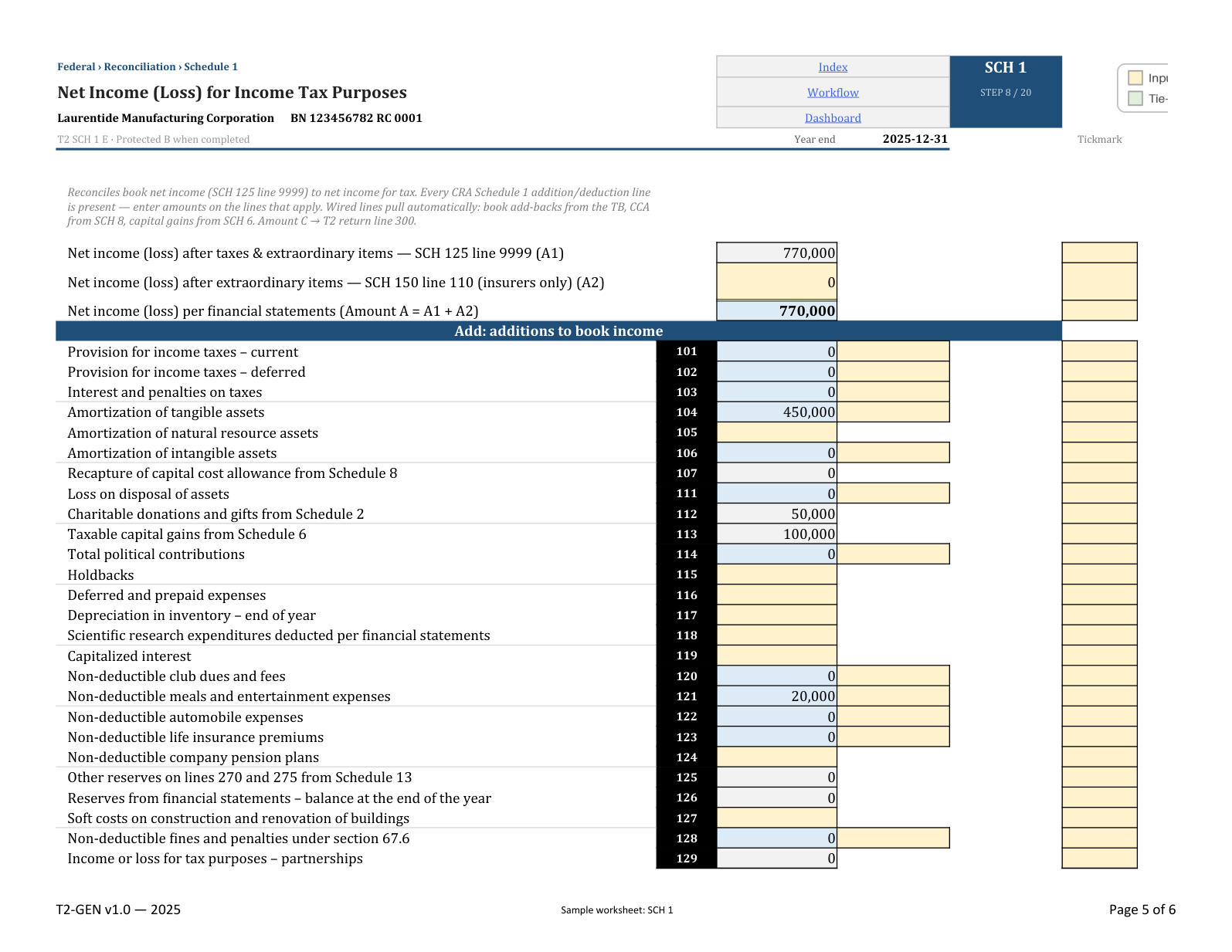
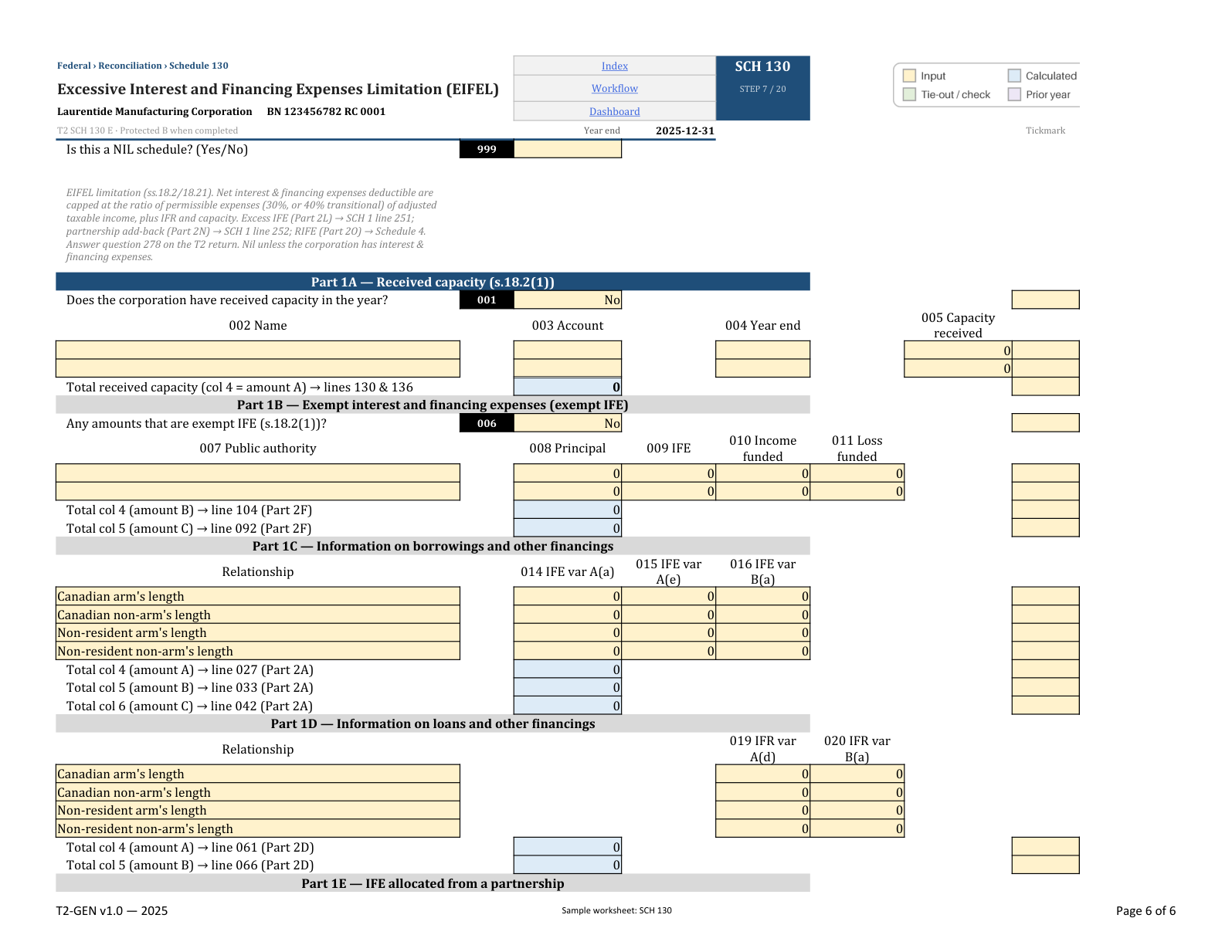
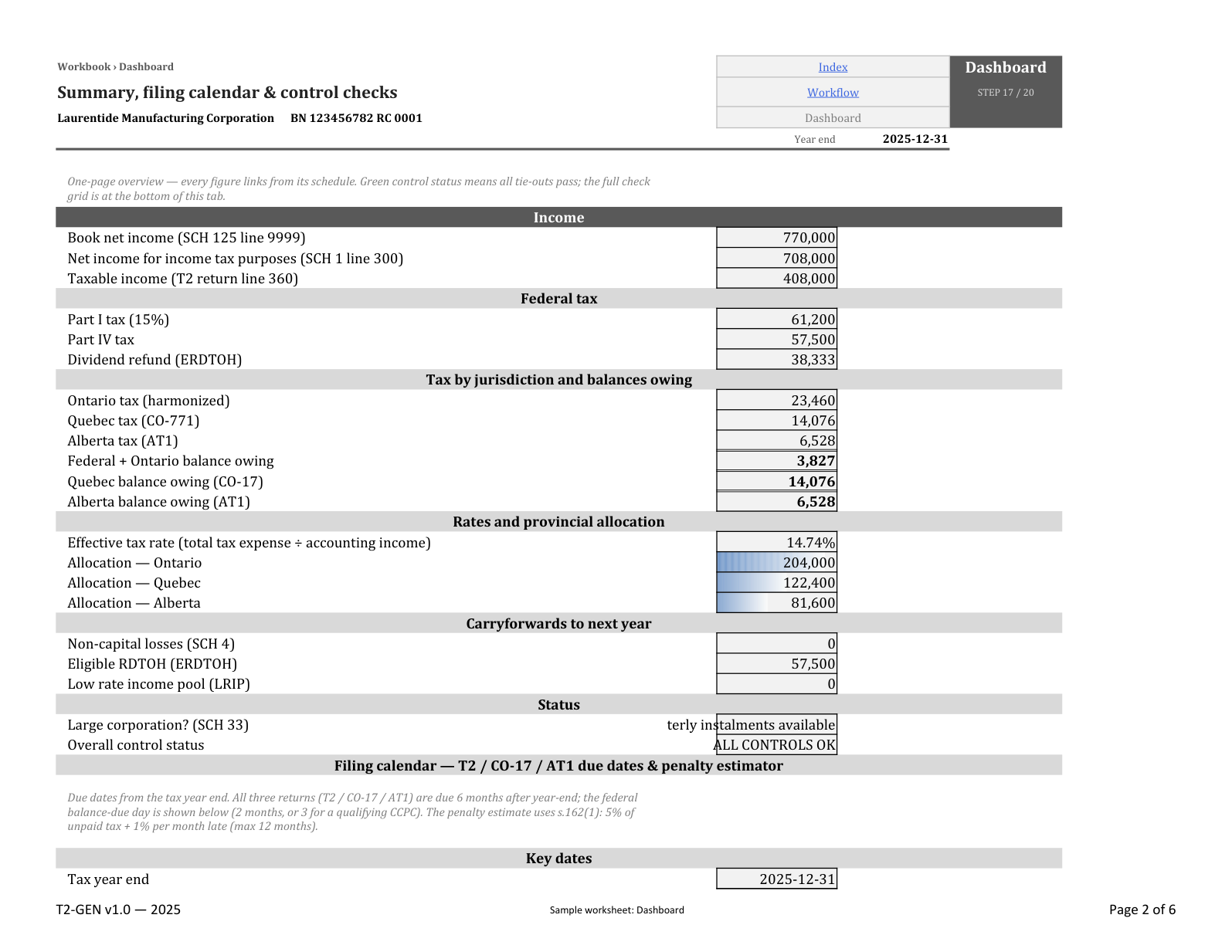
Illustrative preview
Preview figures are illustrative and do not recalculate. The sample gallery shows the actual workbook.
| Row | Reconciling item | Amount | T2 line |
|---|---|---|---|
| 4 | Net income (loss) after taxes — per GIFI | 3,412,880 | L9999 |
| 5 | Add | ||
| 6 | Provision for income taxes — current | 1,206,000 | L101 |
| 7 | Amortization of tangible assets | 742,800 | L104 |
| 8 | Non-deductible meals and entertainment — 50% | 44,206 | L121 |
| 9 | Non-deductible club dues | 14,900 | L607 |
| 10 | Non-deductible reserves — warranty | 96,000 | L414 |
| 11 | Total additions | 2,103,906 | L500 |
| 12 | Deduct | ||
| 13 | Capital cost allowance — from Sch 8 | (1,038,600) | L403 |
| 14 | Taxable portion of capital gain reversal | (15,770) | L401 |
| 15 | Total deductions | (1,054,370) | L510 |
| 16 | Net income (loss) for income tax purposes | 4,462,416 | L300 |
Schedule 1 — book-to-tax reconciliation
Start on Index, follow the 20-step Workflow and complete the corporation and applicability questions on Setup. The answers identify relevant schedules.
Index · Workflow · Setup
Map the trial balance through TB and GL Map. Where a prior Taxprep file is available, follow the PY Extraction instructions to populate comparatives.
TB · GL Map · PY Extraction
Complete the relevant yellow input cells. Review the Schedule 1 reconciliation, capital cost allowance, loss continuity and Schedule 130 calculations against the supporting records.
SCH 1 · SCH 8 · SCH 4 · SCH 130
Use Dashboard to locate outstanding controls. Record explanations and supporting references in Supporting Notes; a cleared arithmetic check does not decide a tax position.
Dashboard · Supporting Notes
Review the populated codes in Import Map, then use the Import sheet through the documented tax-software procedure. Reconcile the return and complete the Workflow review steps.
Import Map · Import · Workflow
The inventory below describes the T2-GEN demonstration file. T2-CCPC is a separate variant. Variant suitability and the contents of an eventual purchase should be confirmed before ordering.
CO-17 and supporting Québec worksheets sit beside the federal calculations. Review the Québec-specific inputs and adjustments separately; a federal result is not automatically the Québec result.
T2 · v1.0 · 2025
The examples correspond to the demonstration files identified below. Launch is targeted for November–December 2026.
Published changes will be identified with the affected edition. Automated checks do not replace professional review.
A perpetual licence for the purchased edition, within its scope. A new tax year is a separate edition.
CAD $329
One entity and its corporate group.
Enquire about the workbookOn request
One firm preparing client engagements within its licence scope.
Request practice pricingOn request
A group requiring access across more than one firm.
Request enterprise pricingNo. The calculations support preparation; filing takes place through the appropriate process and software.
Sheets are supplied without active protection. Cell lock flags allow protection to be enabled when needed.
The .xlsx file runs locally, without macros or external workbook links. No telemetry service is built into the workbook.
Minor corrections to the purchased edition are included under the terms of sale. A new tax year is a separate edition.